English
Bring-your-own-device (BYOD) options let guests stream assistive listening audio straight to their own phones, hearing aids, and other listening devices. And while these options are growing in popularity, they’re not a complete solution. Phones die, apps glitch, and not every guest comes prepared or confident enough to set things up alone.
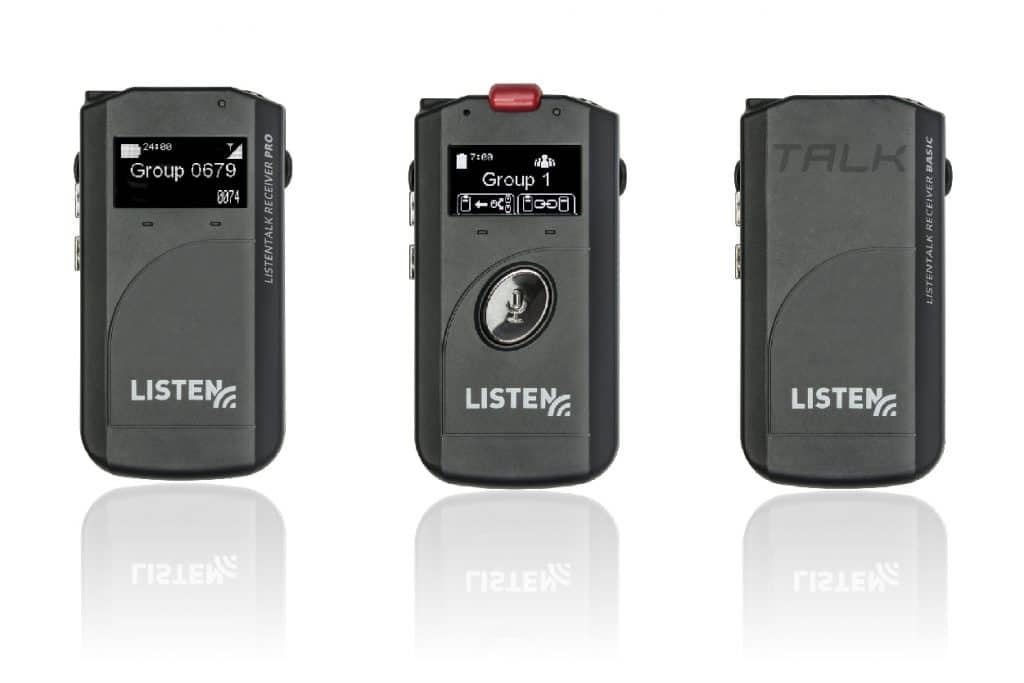
Dedicated receivers are still there to fill that gap, and in many cases, they’re not just a nice option; they’re required. Here’s why they’re still an important part of your venue’s assistive listening system.
Even the most thoughtful venues can’t predict what guests will bring through the door. Visitors may arrive with:
BYOD solutions depend on guests showing up with compatible, charged, functional devices and the confidence to use them. That’s a lot of variables. For many guests, especially older patrons or first-time visitors, a dedicated receiver handed over at the door is a better experience. No downloads, settings, or surprises. Just plug in and listen.
For many venues, providing dedicated receivers isn’t just good practice; it’s a legal requirement. In the U.S., the Americans with Disabilities Act (ADA) states that places of public accommodation must provide assistive listening systems, including a sufficient number of dedicated receivers.
A few important things venues need to know:
Nobody wants to be troubleshooting a guest’s personal device while a line is forming at the door. Front-of-house staff are great at a lot of things, but diagnosing why someone’s phone, tablet, or hearing device isn’t working with the venue’s system isn’t really in the job description. When something goes wrong, there are too many variables to work through. App compatibility, device settings, software versions, and connectivity. It’s a time-consuming process that puts staff in a difficult position and leaves guests frustrated.
Dedicated receivers cut through all of that. They’re pre-configured, ready to hand out, and simple to operate. If a unit does have an issue, it’s easy to identify and set aside for servicing instead of leaving staff to troubleshoot an unknown problem on the spot.
Dedicated receivers are purpose-built for one job, and they do it really well. They deliver consistent audio quality from the first minute to the last, without the wireless interference that can sometimes affect consumer devices. Their batteries are built to last through long performances without fading. And they operate with low latency, keeping audio tightly synced with what’s happening on stage or at the podium.
For guests who rely on assistive listening to follow dialogue, understand speakers, or simply feel like a full participant in the room, those things aren’t just nice to have. They’re everything.
None of this is an argument against BYOD. Smartphone-based listening has real advantages, and guests who prefer it love the familiarity of their own device. For a lot of people, that comfort and convenience make a real difference, which is exactly why the best assistive listening setups don’t try to force a choice between one option and the other.
Instead, the strongest systems offer both. BYOD works great for guests who come prepared and prefer their own device, giving them a familiar and flexible way to listen.
Receivers are there for everyone else, like guests whose phones aren’t ready, those who prefer a simpler option, and anyone who needs a reliable backup when technology doesn’t cooperate. Together, the two approaches cover far more ground than either one could on its own, regardless of what guests bring through the door.
Assistive listening has advanced to include smartphones and apps, but new options shouldn’t mean phasing out what already works. Dedicated receivers earn their place through consistency, simplicity, and reliability. For many venues, the law also requires them.
At the end of the day, accessibility isn’t about picking the newest technology. It’s about making sure every guest can fully experience what’s happening in the room, no matter their device or comfort level.
We would love to deliver valuable insights right to your inbox once a month.
We would love to answer your questions, provide you with a detailed quote, or send you more information.
First, select the calculator type, USA (for Americans with Disabilities Act - ADA), California (for California Building Code), or Australia (for Australia's Disability Discrimination Act 1992). Enter the seating capacity and the number of minimum assistive listening devices required and the minimum number of neck loops will automatically populate based on the calculator type selected.